Note: If you're not used to editing on the website and only need to post something occasionally, please send the information to webredaksjonen@uia.no, and we'll post the event for you.
(Video instruction in Norwegian)
- Go to the main events page.
- Select the event type that matches your posting, such as 'Staff welfare and events'.
- Remember! If you are posting an event in Norwegian, you must start from the Norwegian main events page. See more about English and Norwegian at the bottom of this page.
- Log in at the bottom right-hand corner, just as you do when editing your staff profile.
- You're now in the folder for this type of event and need to create a new document. Click on 'Create document' as shown in the image:

Click on 'Create document' - not 'Create collection'. And make sure you are in the correct type of folder. - You will now automatically be taken to the preview of your event. Click on the 'Edit' tab to add more information:

Here, you click to edit your event. - General info:
Next, go through the process step by step and enter all the necessary information:
- Event type ('Special settings')
- Clear and simple title
- Brief introduction
- Detailed description of the event
- Optional image: Find an existing image or upload one you wish to use. Remember to save the image in the image folder within the main events folder.
- Do you need a registration button?
It is already included. Simply hover over the button, right-click and select 'Edit link'. Then, insert the correct link and edit the text.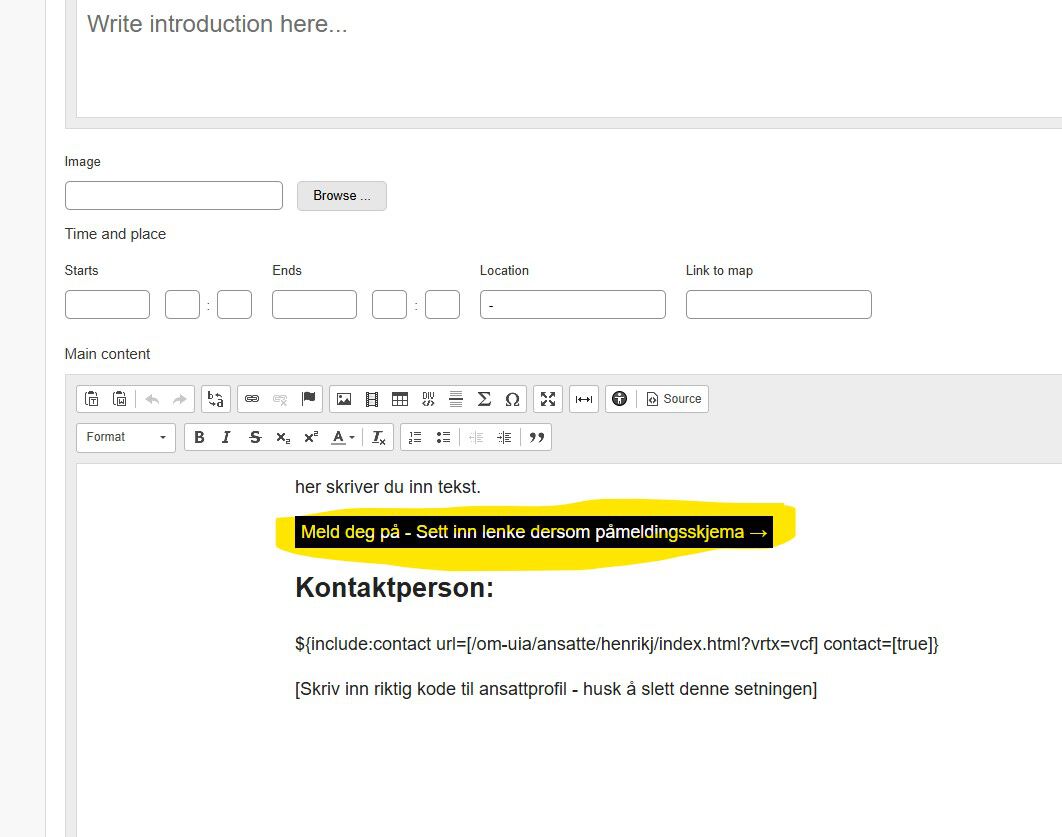
Right-click this button and enter the link. Remember to change the text! - Contact:
The contact code has been pre-entered. You only need to insert the correct username in the field shown in the image. If no contact is needed, you can delete everything here.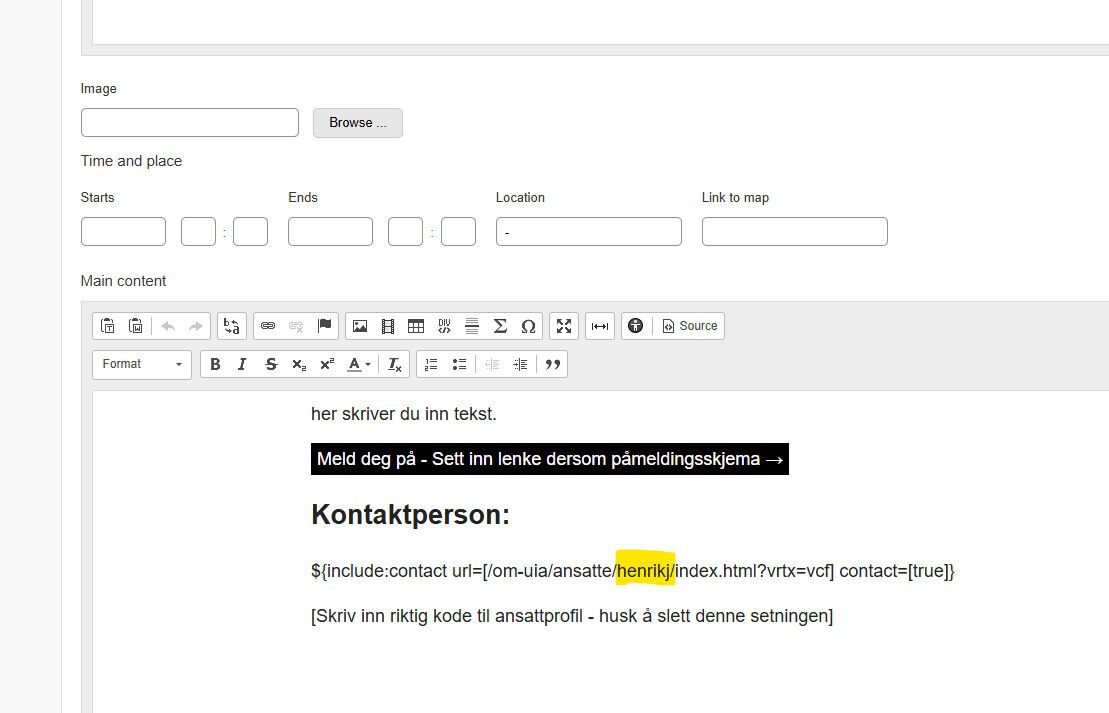
See the yellow field. You can find employees' usernames in the URL on their staff profiles. Remember to delete the sentence below! - When you're finished, click 'Save and view' to ensure everything looks correct. Then, click 'Publish' further up on the page. Your event will now appear in the calendar!

Note! English vs Norwegian
Publish in Norwegian on Norwegian pages and in English on English pages. Do not include English content on Norwegian pages.
If the event is in English and you want to highlight it on Norwegian pages as well, you can include a brief description in the Norwegian version and refer to the detailed information in the English version.
Do you need both languages? Remember to link the two versions together.
To link the English and Norwegian pages, insert the URL of the file you want to link to in the 'Link to [Norwegian/English] version' box at the bottom of the page. You can click on 'Choose file' to browse through the folders. Remember to insert the link in both language versions.