To begin, right-click on the file you wish to classify. If you're using Windows 11, select 'Show more options':
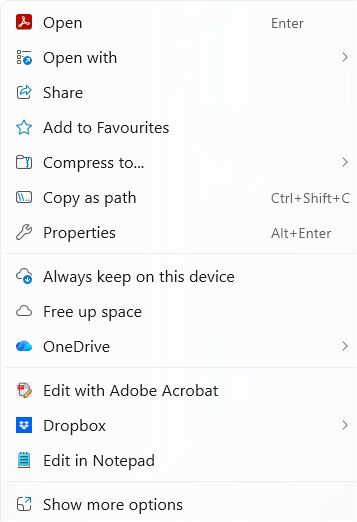
Windows 10 menu (you can configure this as your default menu in Windows 11 by using ClickIT):
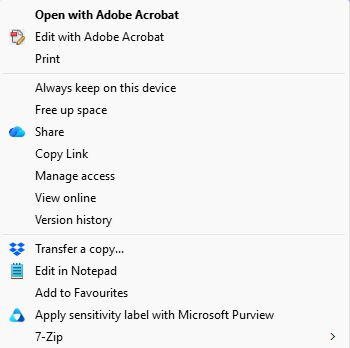
Select 'Apply sensitivity label with Microsoft Purview', then choose the appropriate label for your document.
Learn more about sensitivity labels here
