The faculty /operating unit should enter into a contract with the hourly paid employees for each period they are given salaries based on time. Faculty/department must follow up that the hourly paid employees must deliver a time sheet continuously. The time sheet must be delivered within the 15th of every month. To get access to this digital time sheet, you need to have a Norwegian personal number or D-number.
Employees who don't have a Norwegian peronal number or D-number, must use one of these lists:
Time list with morning/evening shifts
For payments to guest lecturers, invigilators, examiners, board members and members in academic committees, see fees.
It is important that the following shall be in the contract:
- Period
- Scope of work
- Position code
- Salary level
- Seniority
- Legal basis for the temporary nature of the job.
The contract goes in to the electronic workflow for approval. The workers with a personal number and D- number sign the contract with E- signature.
How to fill in a time sheet
Timesheet for employees on an hourly wage contract
You will find the digital time sheet here

Click on «Log inn».
You will then be directet to UIA’s self service, where you can log on with your Feide user, or through “ID-porten”. The digital timesheet system is, at the moment, not available for employees without av norwegian personal number or D-number.
To get the English version, click on “språk” in the main menu.

Then, to register work hours, click on «Add»
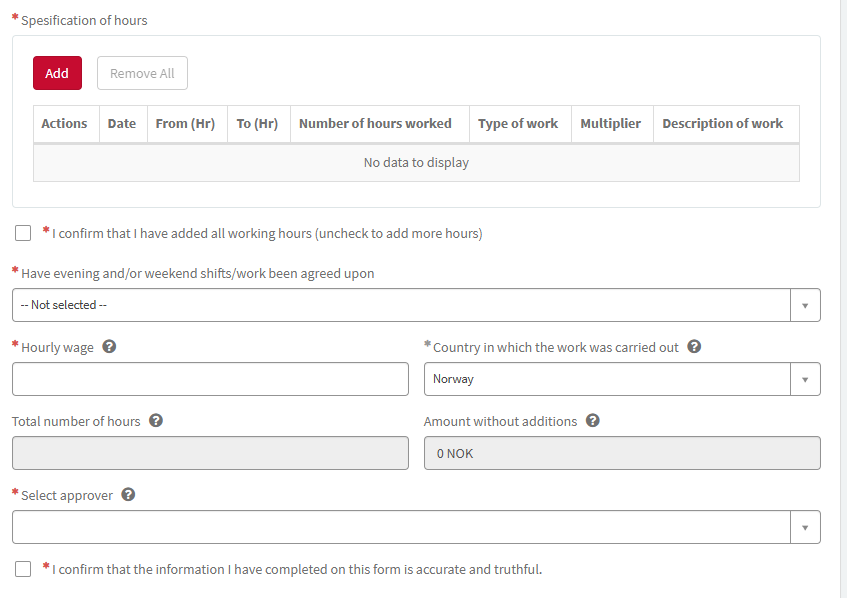
Fill in the scheme and click on the submit button.
This registration must be done, for each day you have been working.
When all days are registered, click the box:

Then click on «Save as draft”
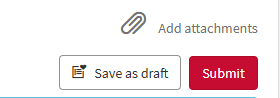
Name the draft – for instance February.
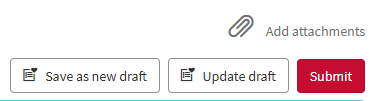
When it is time to register more hours on the actual month, you can open your timesheet from “Drafts” in the main menu.

To be aible to register more hours, you will have to uncheck the mark in the box:

Then, continue to fill in work hours.
When you are finished, and ready to send your timesheet to get paid, do as described here:
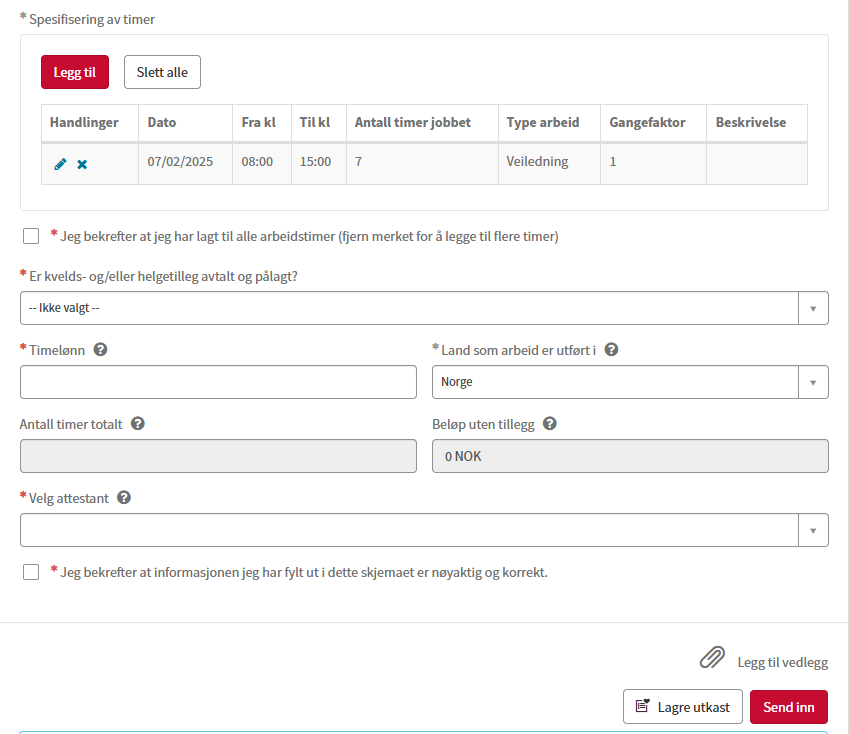
- If you have been workin morning- or evening shifts, and you have an agreement of getting paid for this, you will have to select, “yes”. If no agreement you select “no”

- Register your salary per hour from your contract.
- Choose in which country you have been working.

- Select approver. It will probably be the person who has signed the contract. If you are uncertain, contact your contact person at UIA.

- When you are done, make a tick in the “I confirm…” box, and click on the Submit button.
Norwegian user manuals
- For saksbehandler - Registrering av timelønnskontrakter (docx)
- For saksbehandler - Revidere kontrakt (docx)
- For godkjenner - Kontroll og godkjenning eller avslag (docx)
- For arbeidstaker - Kontroll og digital signering av kontrakt (docx)
Last opp dette vedlegget hvis du benytte stillingskode for vitenskapelig assistent 1018 (pdf).
Contact

- richard.lislevand@uia.no
- Phone
- +47 38 14 13 94
- trygve.greibesland@uia.no
- Phone
- +47 38 14 23 67