Download and usage tips
In our Sámi world, the students are taken to a representation of the Sámi Parliament in Karasjok. The building is built according to the real Sámi Parliament's floor plans. The offices on the second floor of Minecraft have been named after the various departments in the real Sámi Parliament. From the offices on the second floor, students can teleport to other assignments within Sámi themes.
Download the Sámi World in Minecraft
How to change language settings
If you change the language in Minecraft Education to Swedish, you will get Sámi Minecraft in Northern Sámi.
If you change to Danish, the world will be (partially) in South Sámi (still in progress).
It is also possible to play the world in English.
Having trouble downloading on your iPad?
Some people report problems importing the world to iOS/iPad in Minecraft Education.
This is a bug Microsoft say they are working to fix.
For the time being, this is a guide to how you can work around the problem:
- Download the file by pressing the blue button above. It should be called "Filename"-mcworld. The file will then be added to Files on the tablet.
- Go to Files (blue-folder icon) -> Downloads and press\hold on the file (Filename<>). Now select Move.
- Scroll down to the folder called Minecraft/Education Edition and tap on it.
- Select Copy in the top right corner.
- Then tap Cancel and choose On iPad (in Files)
- Select the folder Minecraft/Education edition and click on the file Filename<>, and you're good to go!
Here is a video showing the process using a corresponding world.
Education use of Sámi Minecraft
The model has been developed after testing the resources with teachers in primary and lower secondary school.
Learning objectives
Define what you want to achieve with the activity and in which direction the activity will develop. It can be about learning skills, exploring a certain area of knowledge, or understanding a certain concept.
Familiarize yourself with the resources
Representations, narrative and game mechanics play together and affect the students' experiences and outcomes. Therefore, it is important that the teacher familiarizes themselves with the Sámi world in Minecraft. It will also facilitate the work of putting the students' gaming experience in an educational context.
Reflection and assessment
Facilitate collaboration. Feel free to organize the students in pairs, where one of the students is the "navigator".
Speak with your students about in-game experiences and help them connect them to specific learning goals. The discussion can be both formative and summative, and it can be done during or after an activity.
Students' prior knowledge
Use your students' existing expertise in the classroom.
Raise awareness of the difference between scholarly and recreational use of Minecraft.
Be aware of the difference between game goals and learning goals.
Plan for different amounts of time and have clear guidelines for what students should do after they have finished.
Promote dialogue
Use post-assignment conversation cards to promote dialogue
Ask open-ended questions, explore different perspectives, and encourage discussion
Assignments
We have prepared a number of assignments based on competence objectives in the curriculum. By following the menu, you can find relevant assignments related to different levels and subjects. All assignments are interdisciplinary. Instructional videos and resource sheets have been prepared for each assignment.
Coming soon in English.
Resource sheets
Resource sheets have been prepared for all assignments. The resource sheets contain a pupil worksheet, relevant competence objectives, as well as tips for follow-up work and resources related to the assignment. We recommend printing out the Student Worksheet so that students can check things off as they progress through the assignment.
Suggestions for follow-up work and resources are intended as tips and support for the teacher who is responsible for framing the pupils' experiences from the game in the follow-up work.
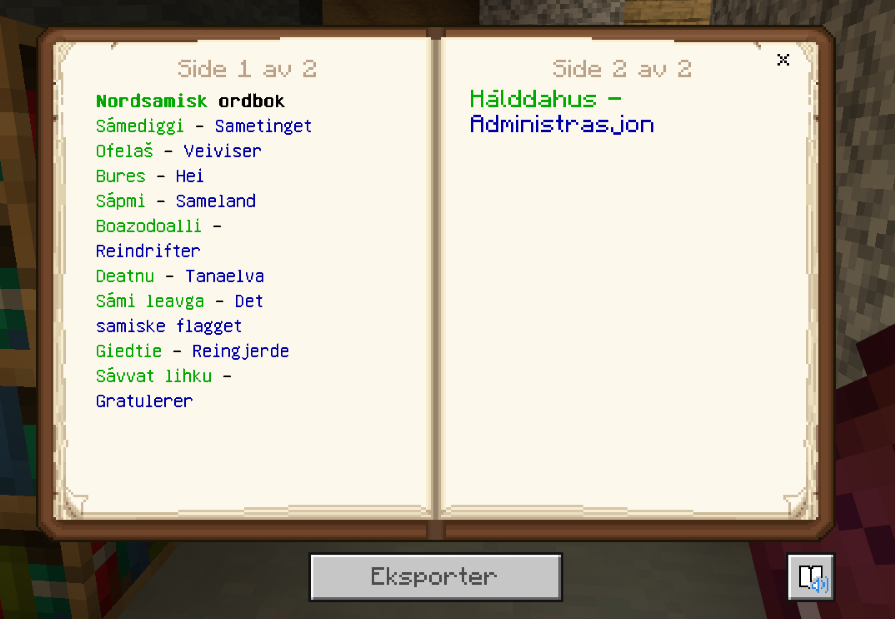
Language
The students will encounter many Sámi words, expressions and texts in the Sámi world. They can get help with translation by using the dictionary, which can be found to the right at the main entrance to the Sámi Parliament.
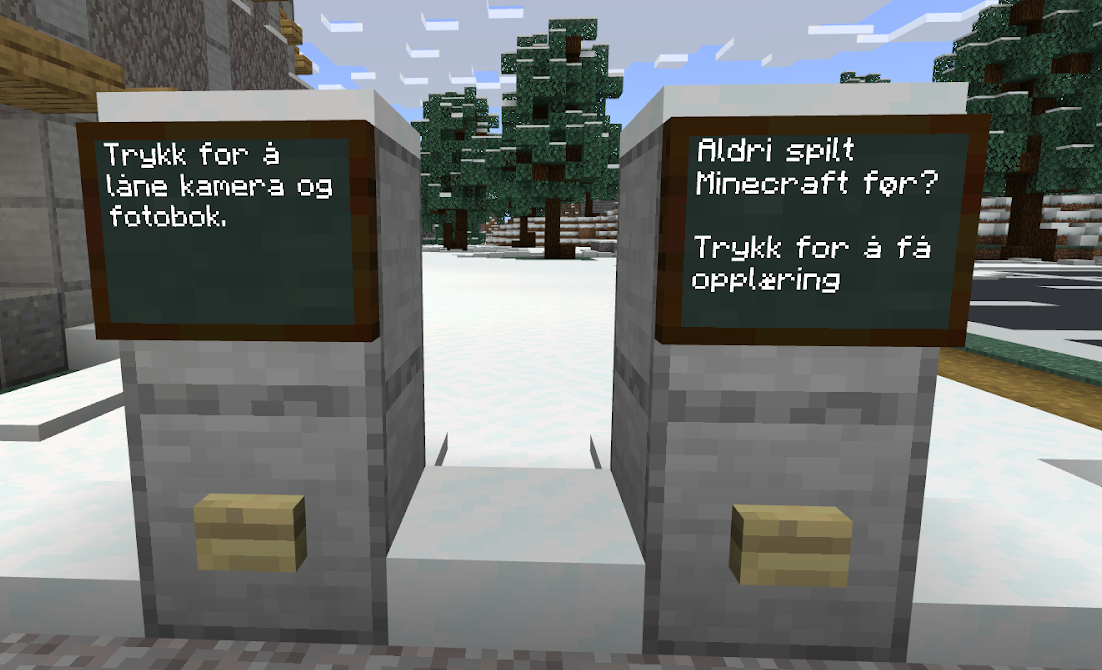
Navigation
For students or teachers who are not familiar with Minecraft, there is a simple training course inside the Sámi world in Minecraft. There are also dedicated navigation courses in the Minecraft Education library.
Time use
The amount of time the students spend on the different assignments will vary. Have a plan for what students will do as they are finished. One tip can be to use a camera and book actively, and ask the students to take pictures and/or write about what they experience in the game. This can be exported out of Minecraft.
Organisation
We recommend that students work on missions in the Sámi world in pairs, where one student is inside Minecraft while the other student is the "navigator ". The navigator has the student worksheet for each assignment and helps the fellow student navigate to the right place in the assignments. It is possible to bring entire classes into the same world, but we do not recommend this because awarding prizes, feedback on tasks and teleporting to missions can become more challenging.
Share the world with your students
Download the world by pressing the red button at the top of the page. Share the world with the students on the platform you normally use or share a link to this page with the students.
Click the download icon and then select "Download Anyway".
Follow-up tasks
Make a plan for follow-up work. Use the pupils' experiences from the game to promote dialogue about Sámi perspectives. Use conversation cards to promote dialogue between students. The conversation cards are suggestions for reflection and discussion questions. As a teacher, you can pick out those which are relevant to your students. You can also copy the document containing the conversation cards and then adapt them to your teaching. Consider inviting students to suggest questions for their fellow students.